
Free QWPV9VARIANT9QWPV Apps: Where to Look and What to Check
If you want a free QWPV9VARIANT9QWPV app, start in your phone’s official app store, where you can compare ratings and permissions before installing.
Here you will see how to search the store, how Google Play Protect helps, what to check and the mistakes to avoid before you tap Install.
Nothing on this page is an app recommendation. Each developer sets the features and prices, and the store listing is the source that counts.
Where to find free QWPV9VARIANT9QWPV apps safely
On Android, the Google Play Help page explains the basic steps: open the Play Store, search or browse, select an item and then select Install or the price. It also says that some content is available at no charge and some you need to buy, so read each listing to see which kind you are looking at.
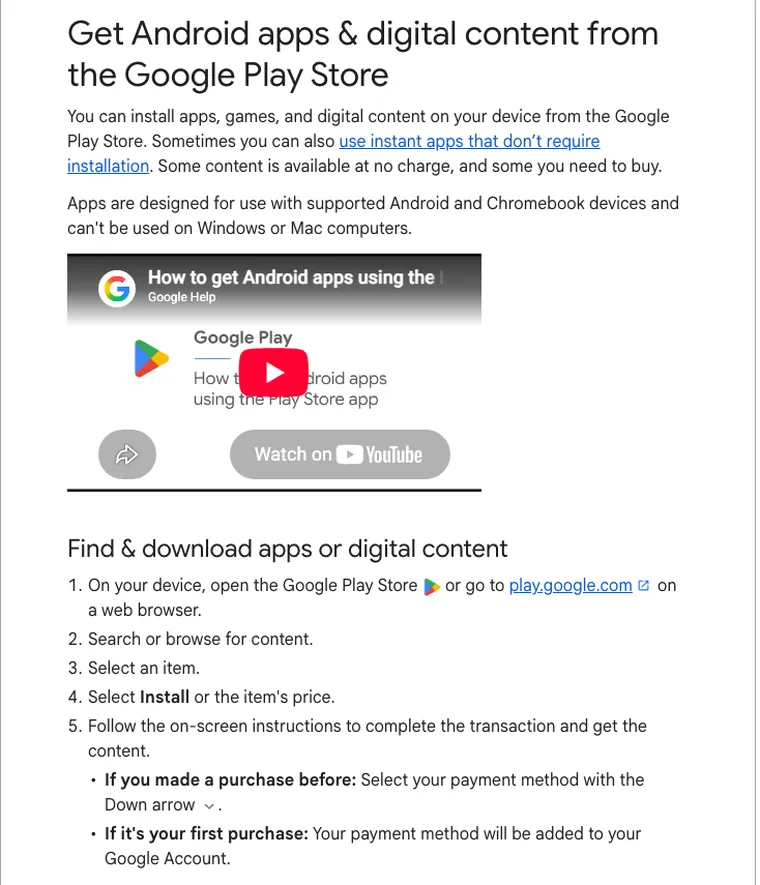
The button on this page opens a Play Store search for QWPV9VARIANT9QWPV apps with the free filter. On an iPhone, open the App Store and search for the same words.
How Google Play Protect helps
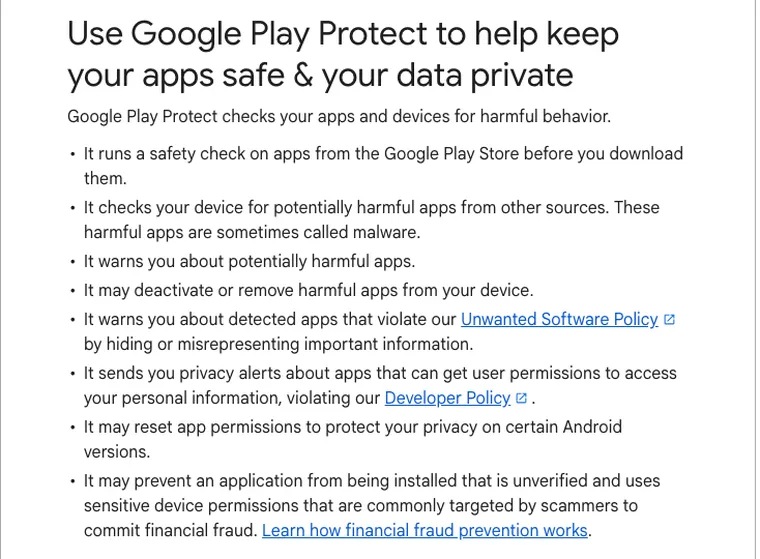
According to Google, Play Protect runs a safety check on apps from the Play Store before you download them and checks your device for potentially harmful apps from other sources. It can warn you about harmful apps and may remove them. Google recommends keeping Play Protect on.
How to choose between options
| What to compare | Why it matters |
|---|---|
| Recent reviews | They show how the app works today |
| Permissions | A simple app should not ask for everything |
| In-app purchases | Free to install is not always free to use fully |
| Last update | Old apps may not work on newer phones |
Step by step
Play Store on Android, App Store on iPhone.
Try QWPV9VARIANT9QWPV and filter for free apps if you can.
Compare ratings, reviews and permissions.
Tap Install and follow the instructions.
Turn off notifications and permissions you do not need.
Mistakes to avoid
- Installing from a link in a text message or pop-up
- Ignoring permissions that do not match what the app does
- Paying before you try the free version
- Keeping apps you no longer use
- Turning off Google Play Protect
Frequently asked questions
Is a free app really free?
Installing can be free, and some apps offer optional purchases inside the app. The listing shows if there are in-app purchases.
Will it work on my phone?
Check the compatibility on the store listing, and use the device filter in the Play Store if you have several devices.
Is it safe?
Apps from the official store are checked by Google Play Protect before download, but you should still read reviews and permissions.
Can I use it on a computer?
Google notes that apps are designed for supported Android and Chromebook devices and cannot be used on Windows or Mac computers.
Independent information. Agora Educação is not an app developer or a store and has no relationship with Google, Apple or any app mentioned. Availability, features, prices and in-app purchases change often and are set by each developer, so read the store listing before you install. Information checked on official sources on 28 October 2026.